UNIVERSE REPORTING
Rebuilding Universe’s reporting suite to boost adoption by 23%
Universe’s fragmented reporting tools drove clients away. I partnered with product and engineering to redesign a unified suite that rebuilt trust, increased adoption, and won new business by unlocking the ability to customize every reporting layer as users needed.
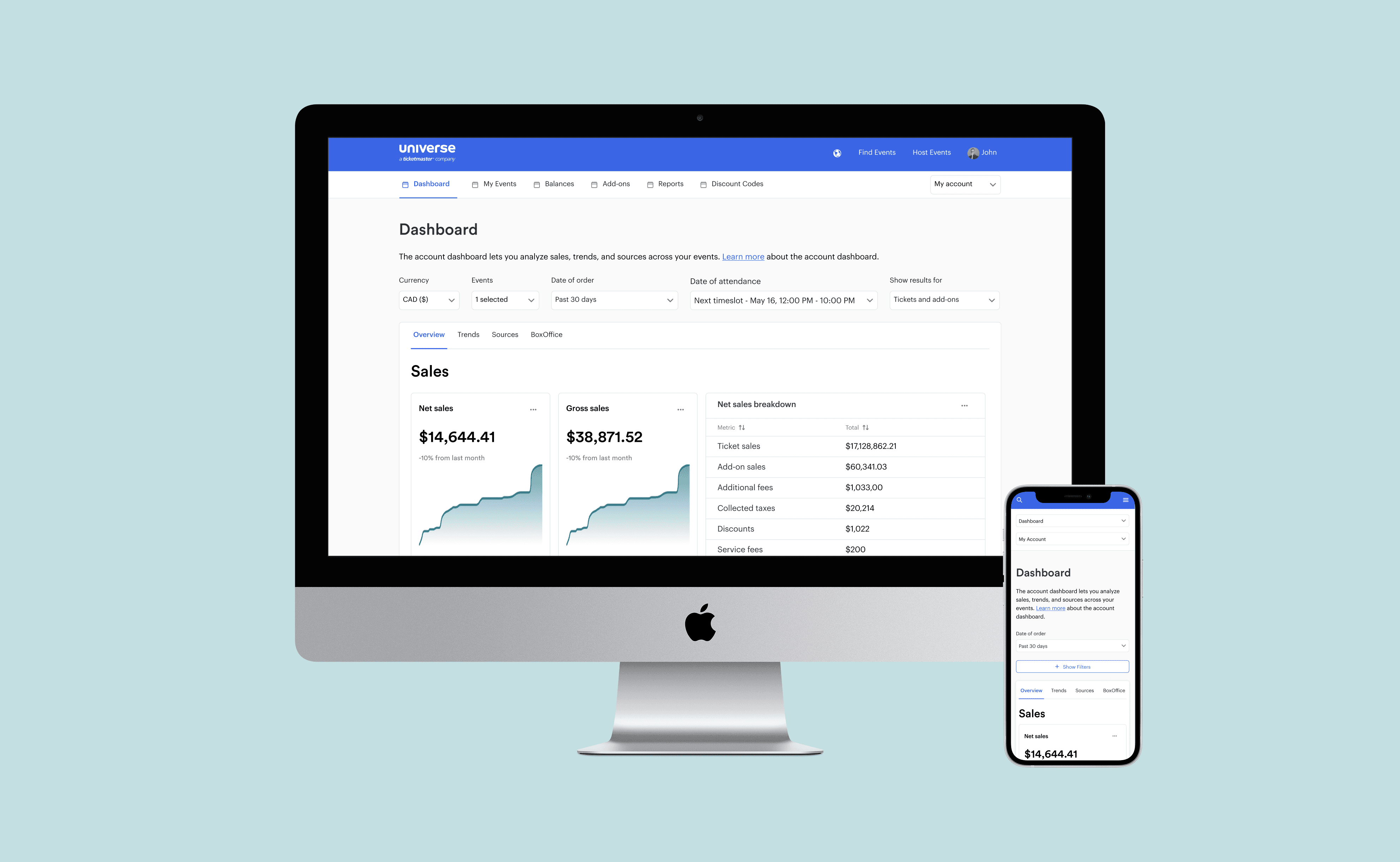
WHY THIS MATTERED
High-value enterprise clients were leaving Universe.
We lost over 3 clients in 6 months with their main pain point being reporting and its lack of flexibility, depth of data, and poor performance.
Universe was spending months and lots of money building bespoke reports for each client, an unsustainable strategy.
KEY RESULTS
Flexibility
All reporting layers allowed in-depth customizations.
Streamlining
Less need for unsustainable and costly templates.
Adoption
+23% reporting retention and 66% adoption compared to legacy flows.
Clients
2 high-value clients stayed because we showed that we listened.
Scale
Foundation removed the need for expensive reporting projects.
ROLE
Lead Product Designer
TIMELINE
8 months
TEAM
Product Manager
3 Frontend developers
2 Data Engineers
PROCESS
User journey mapping | Interviews
CSD Matrix | Experience maps
User testing | Wireframes
SKILLS
End-to-end Product Design
Design strategy
Hands-on shipping
WHAT I OWNED
Design strategy.
I chose to tackle reporting because enterprise client churn made it the highest-impact problem in the product. I led the design strategy, created scalable reporting patterns, aligned with engineering on feasibility, and drove client validation and usability testing to ensure adoption.
PROBLEM
Reporting was fragmented, and clients couldn’t trust the numbers.
INSIGHTS THAT CHANGED THE DIRECTION
The business was building rigid, one-off reporting layers for each client, which created fragmented tools and wasted engineering cycles.
I identified the shared need for flexible, self-serve reporting and validated it with data and interviews, then pushed for a scalable model that unified metrics and reduced tool switching.
BEFORE
This is the entire Account Dashboard offering.
Shallow and ambiguous metrics.
Limited filters.
Poor accessibility.
0.3% usage on most of these sections meant they were useless to our users.
Rigid account reports.
Overlapping, inconsistent reports.
Limited filtering (date range only in most cases).
The org spent months or years generating one-off reports.
Limited event reports.
Inconsistent layouts, logic, and export options.
Misaligned interactions.
Could only select one timeslot at a time.
Every request created another one-off variation.
AFTER
A unified and expanded reporting suite built on customization and a shared design language.
I validated that every layer of reporting received the same data and that engineers could leverage the same UI. I used this information to standardize interactions, align visuals, and expand on features our clients needed while retaining each layer's specific purpose.
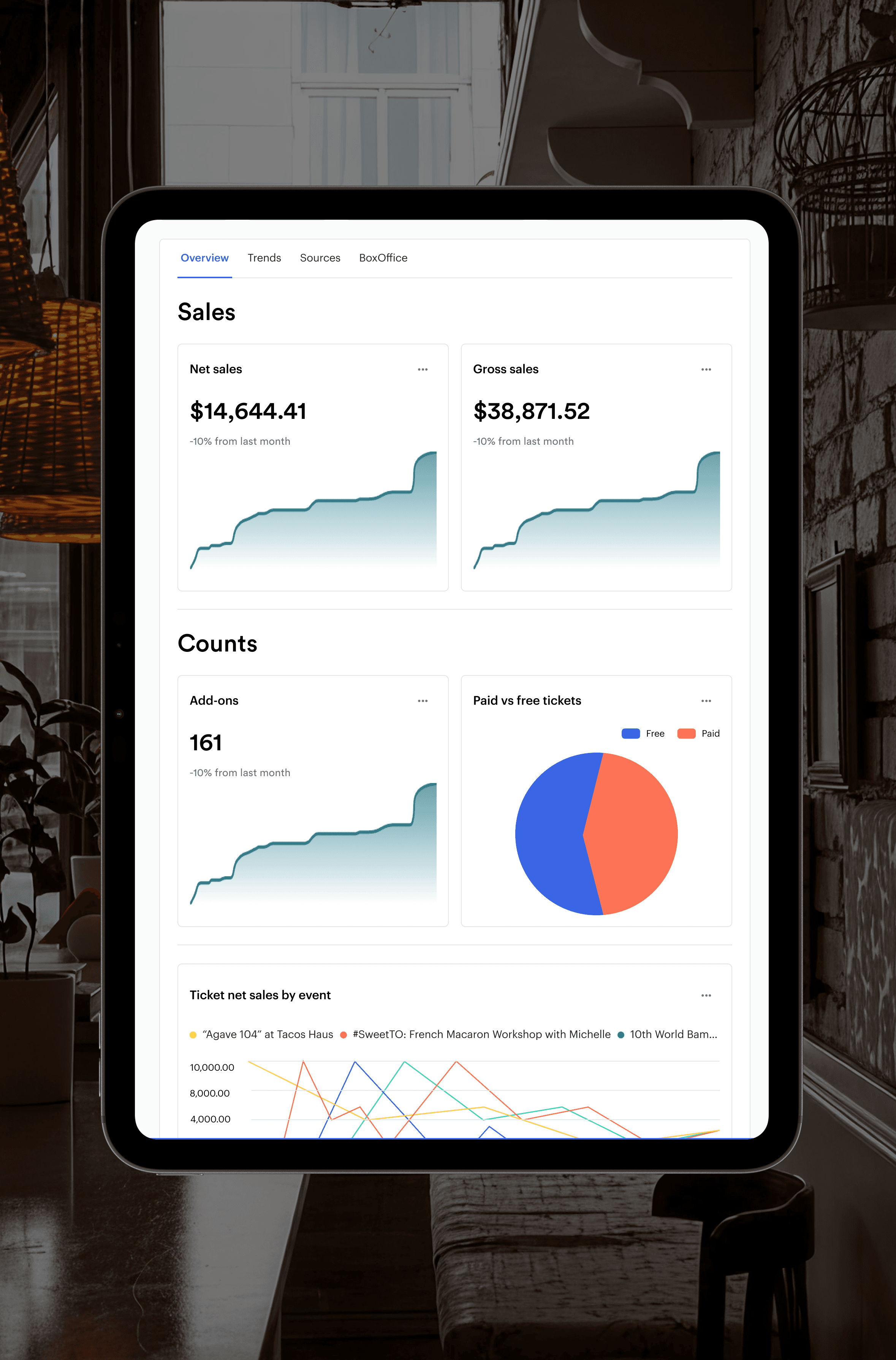
UPDATED ACCOUNT DASHBOARD
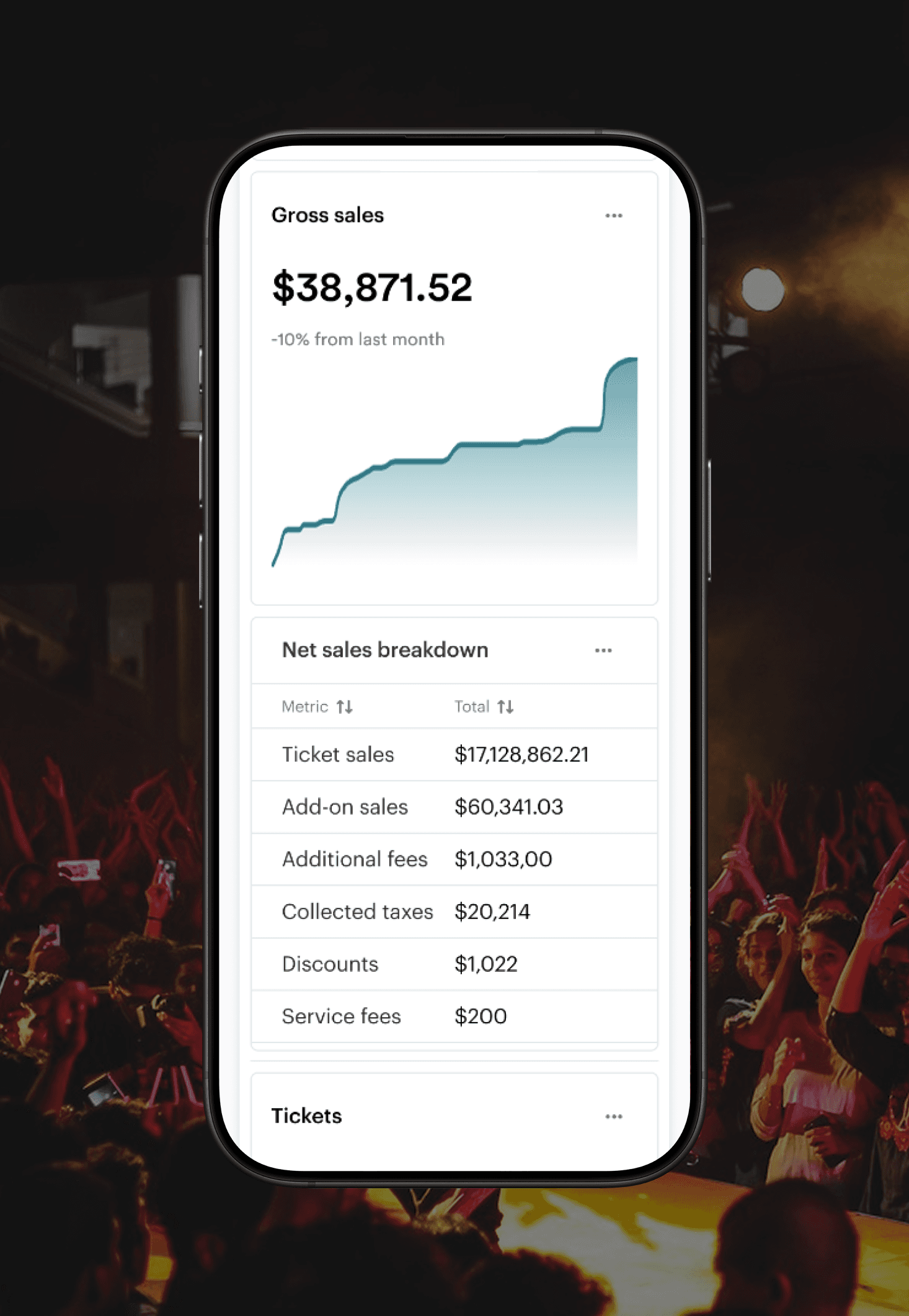
Redesigned Dashboards with modern visuals, advanced filters, and layered insights. Added exports and reusable components, establishing the patterns used across every reporting layer.
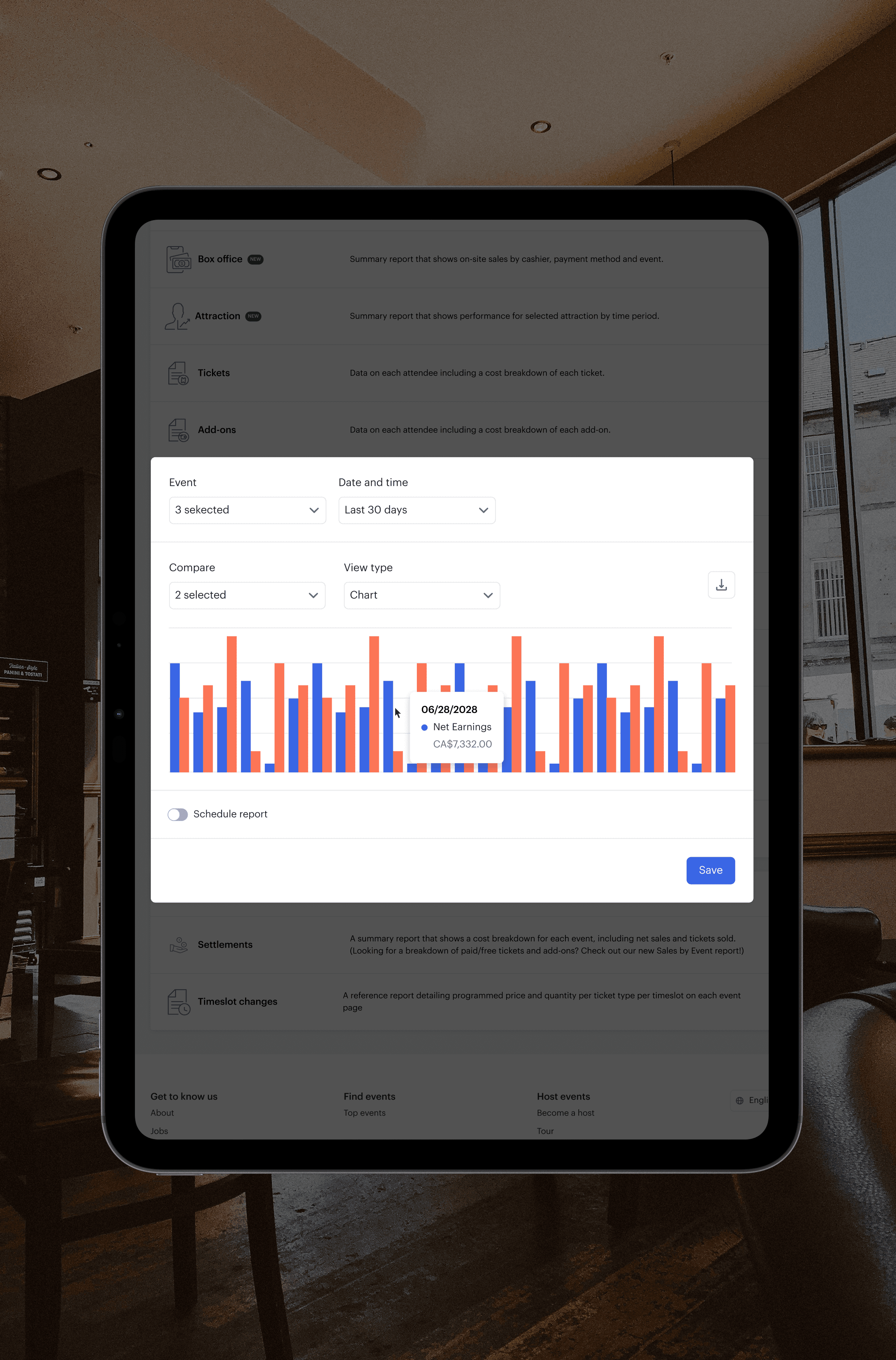
FLEXIBLE ACCOUNT REPORTS
Users gained full control to slice, visualize, and export the exact data they needed without relying on custom templates or dev support, removing the need for 80% of templates.
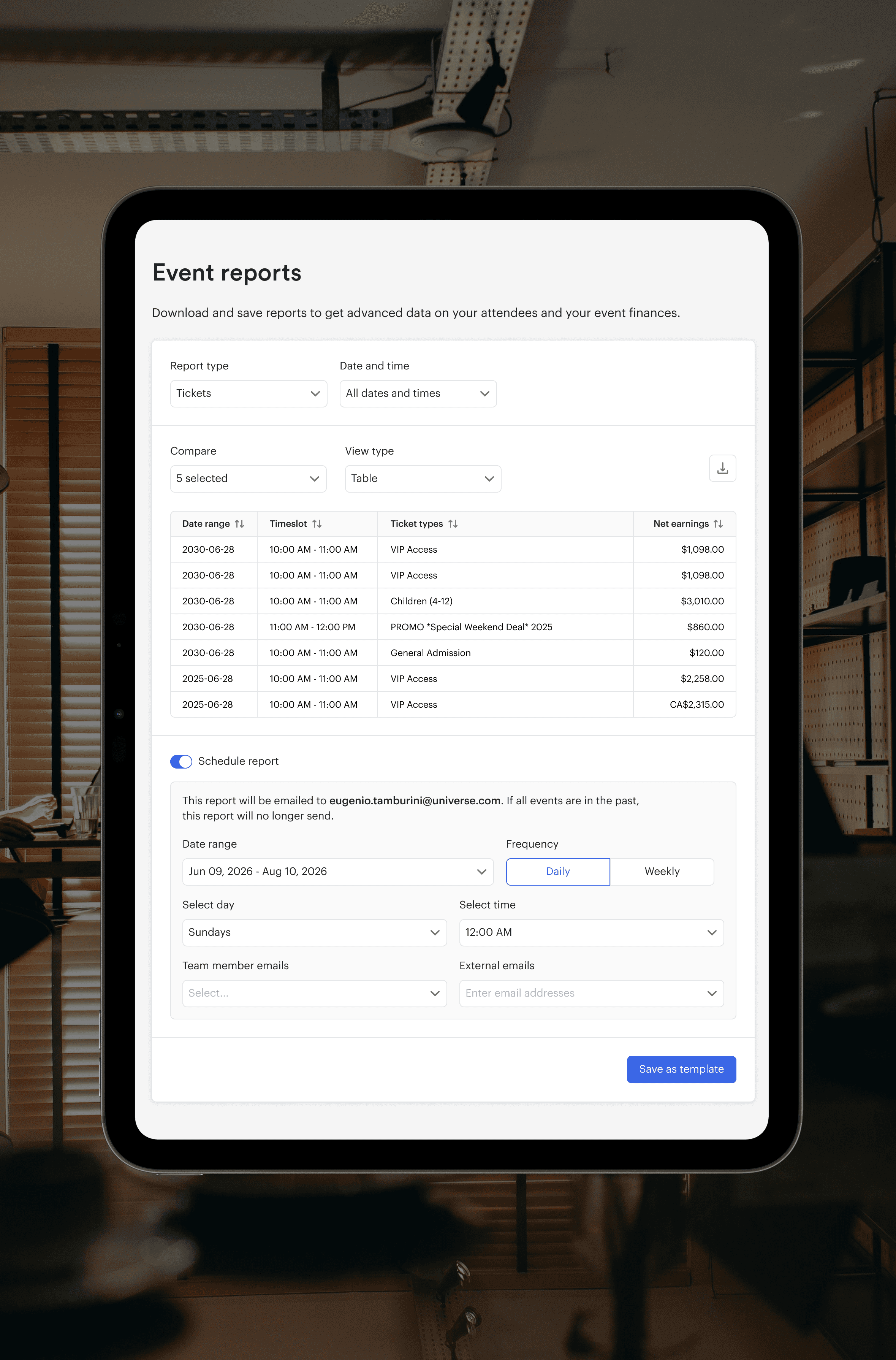
STREAMLINED EVENT REPORTS
Consolidated dozens of bespoke report templates into six reusable starting points, standardizing workflows and unlocking faster setup for complex events.
RESEARCH
Our mission, and what we learned.
STRATEGY
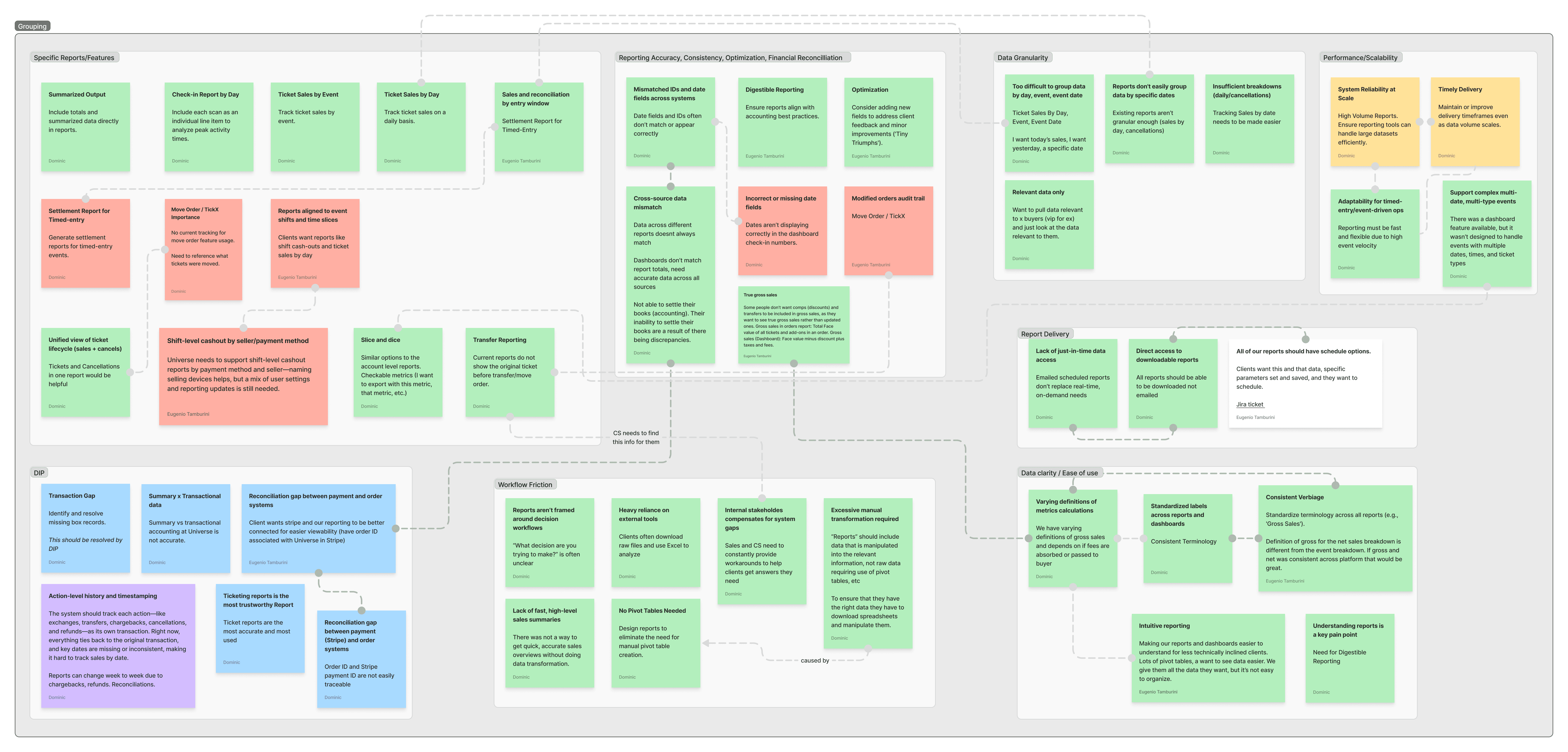
We grounded our strategy in real user behavior by interviewing clients, shadowing teams, and mapping workflows to expose friction and clarity gaps.
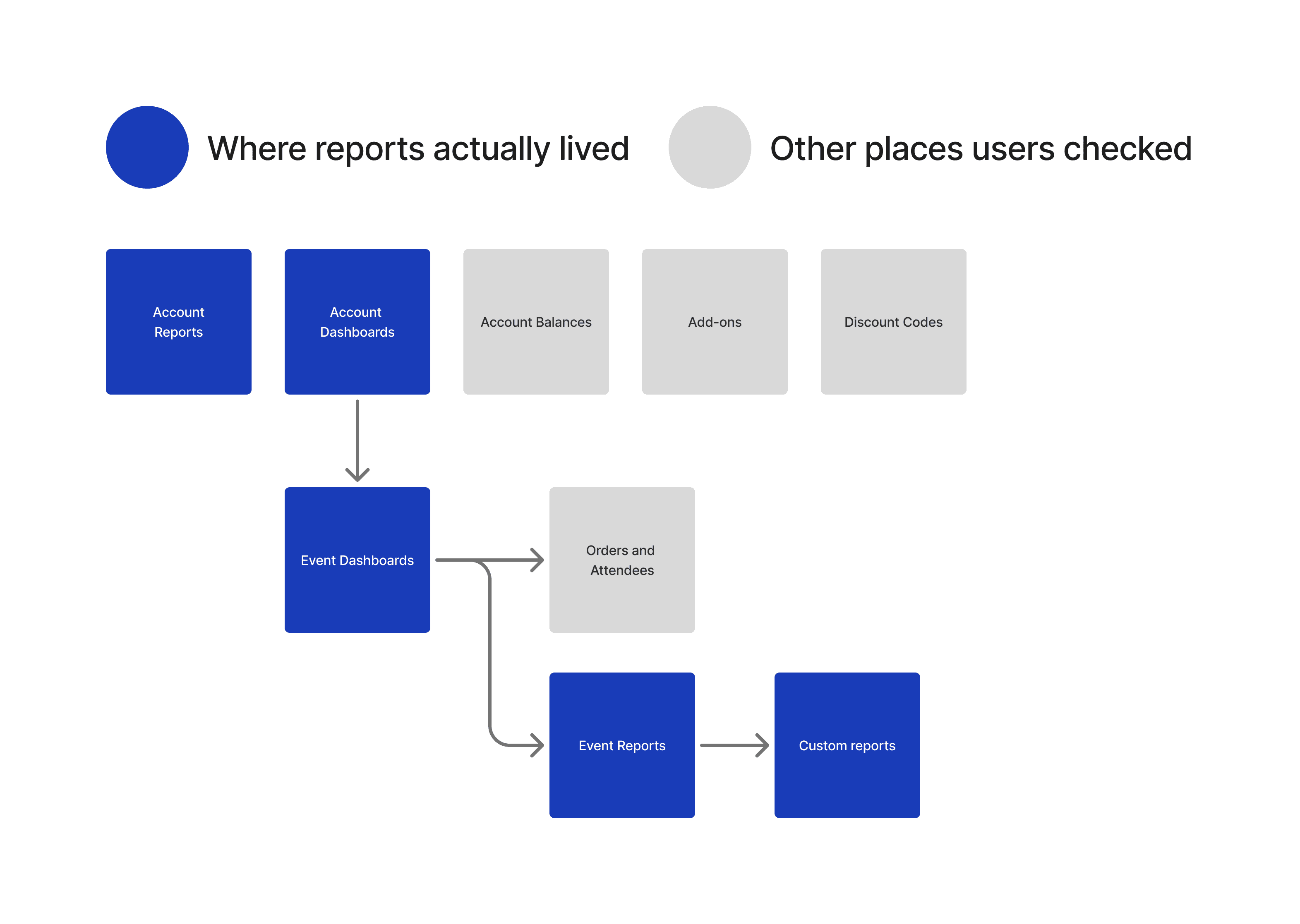
BROKEN FLOWS
Reporting had become fragmented and overloaded, forcing users to hunt across multiple entry points and stitch together insights instead of analyzing data efficiently.
APPROACH
MVP and leveraging AI.
START WITH DASHBOARDS
Data showed that 63% of users began their reporting journey here. I made it the foundation: solving core dashboard pain points and establishing a data and design framework that every other reporting layer could build on.
AI TOOLS
Copilot and Perplexity accelerated research synthesis and competitor scans. Today, I would use Figma Make to prototype earlier while integrating our design system.
USER STORIES
Mapping tasks to flows.
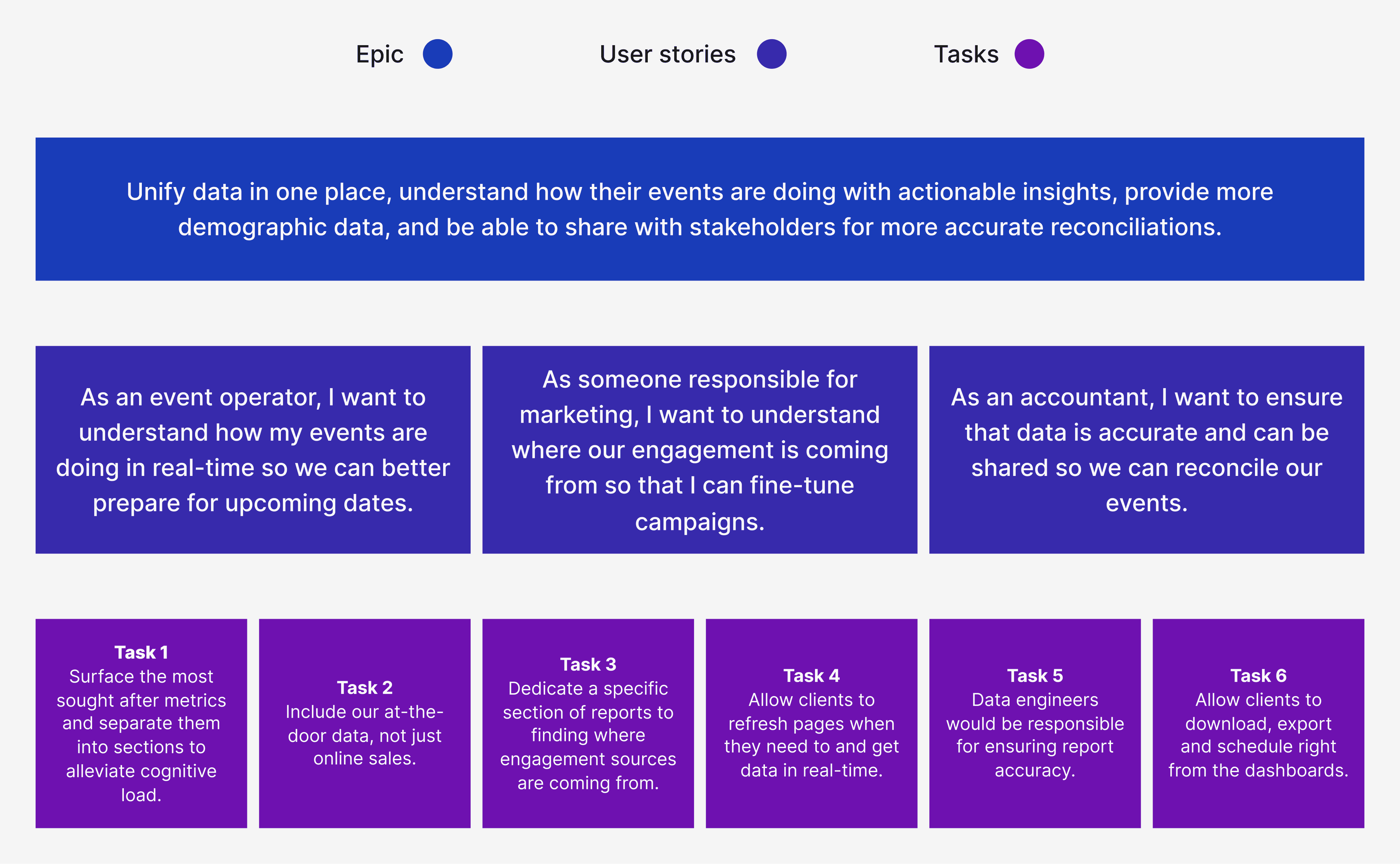
USER STORIES
I outlined the highest priority tasks for our Dashboards MVP based on insights, helping to outline the structure for future iterations.
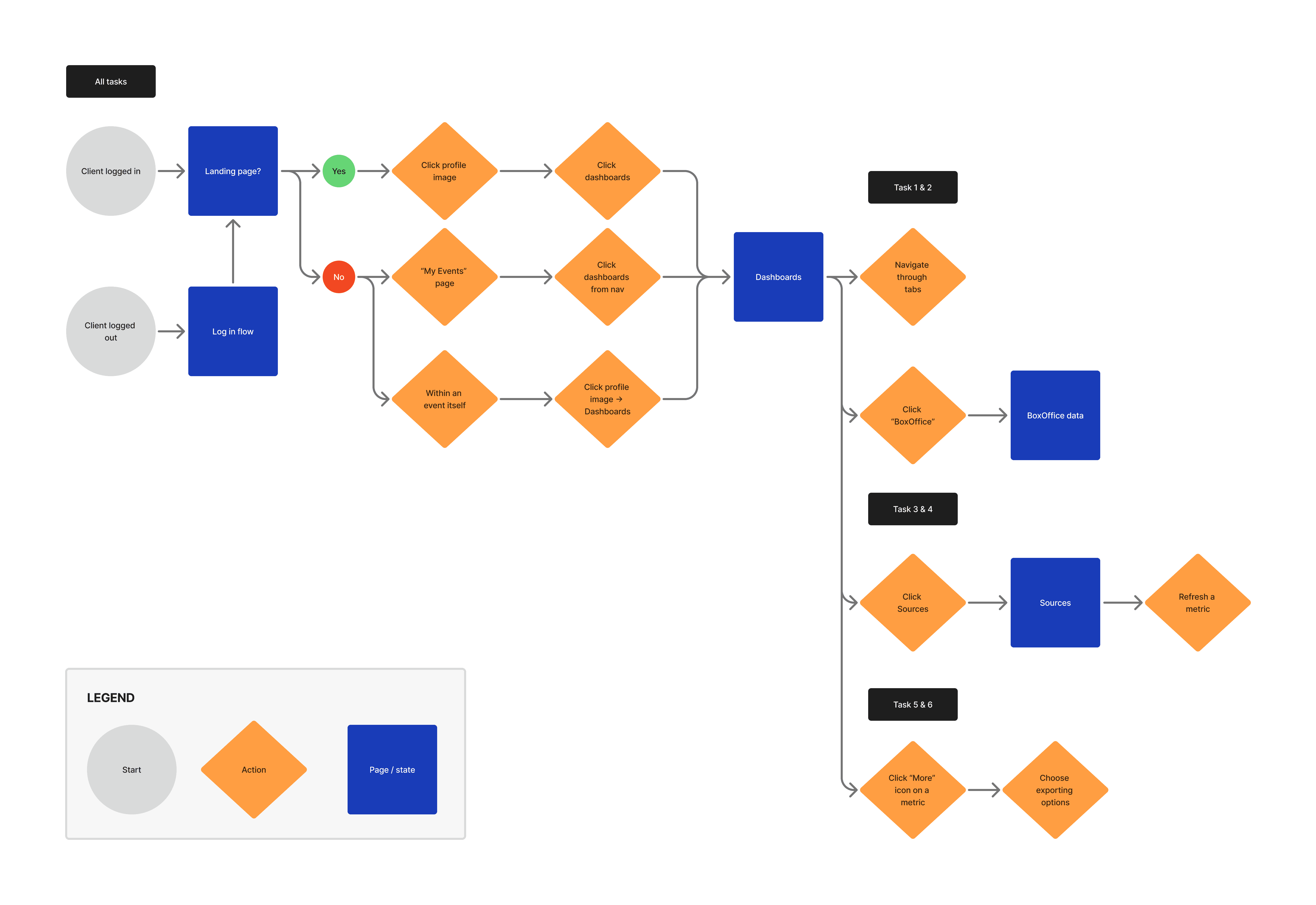
USER FLOWS
These would be the same user flows that we would test for. A few of these tasks changed based on future constraints.
FEASIBILITY
Investigating our tech stack.
Our constraint was data performance, not design. I partnered with engineering to understand technical ceilings and designed within them instead of fighting the system. This protected timeline and ensured we shipped value while adhering to the set project timeline.
CONSTRAINTS
Overcoming rigid styling and export constraints.
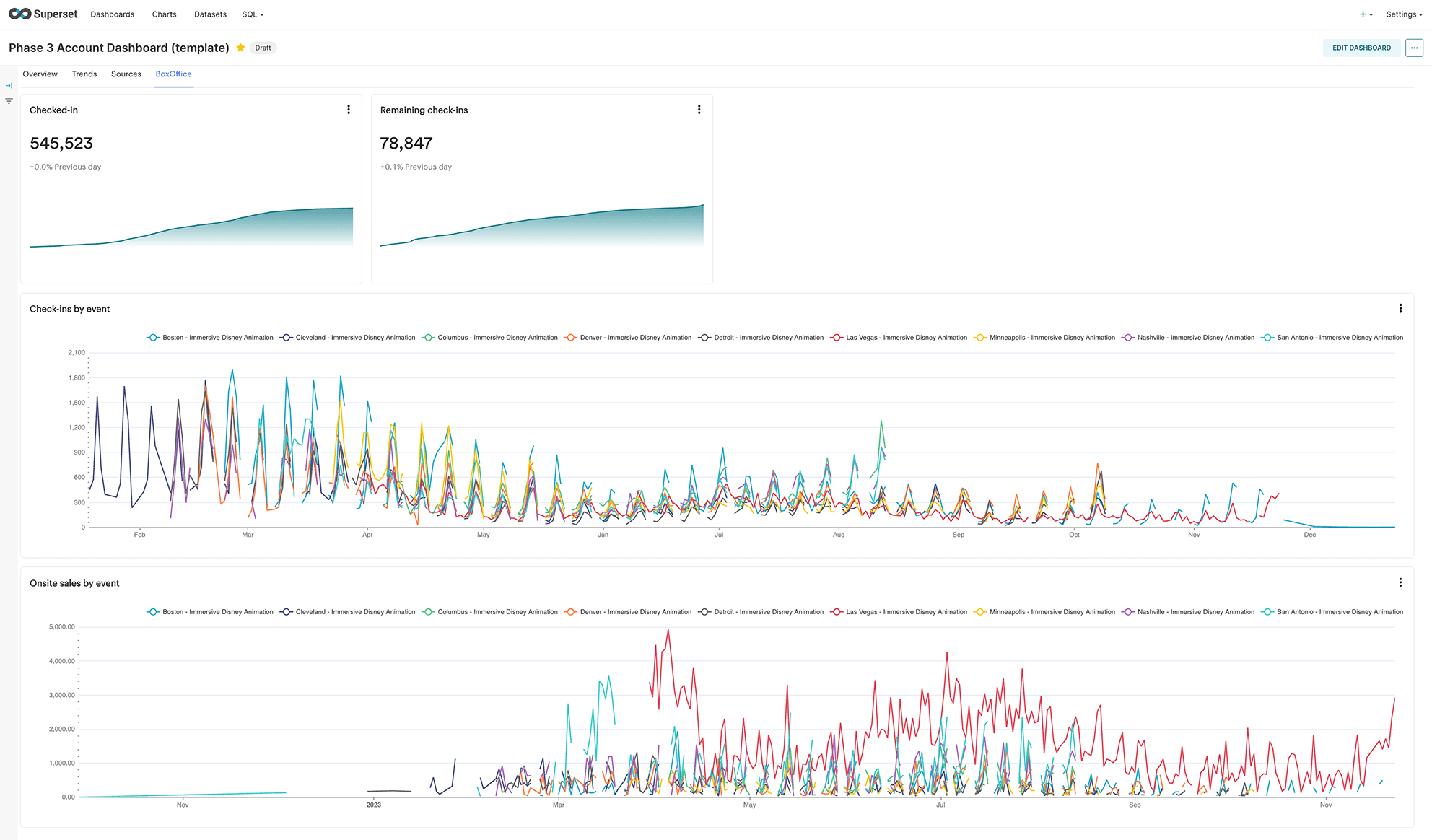
SUPERSET
Superset gave us speed but forced rigid UI patterns, so I partnered with engineering to shape flexible components that kept velocity high without sacrificing usability.
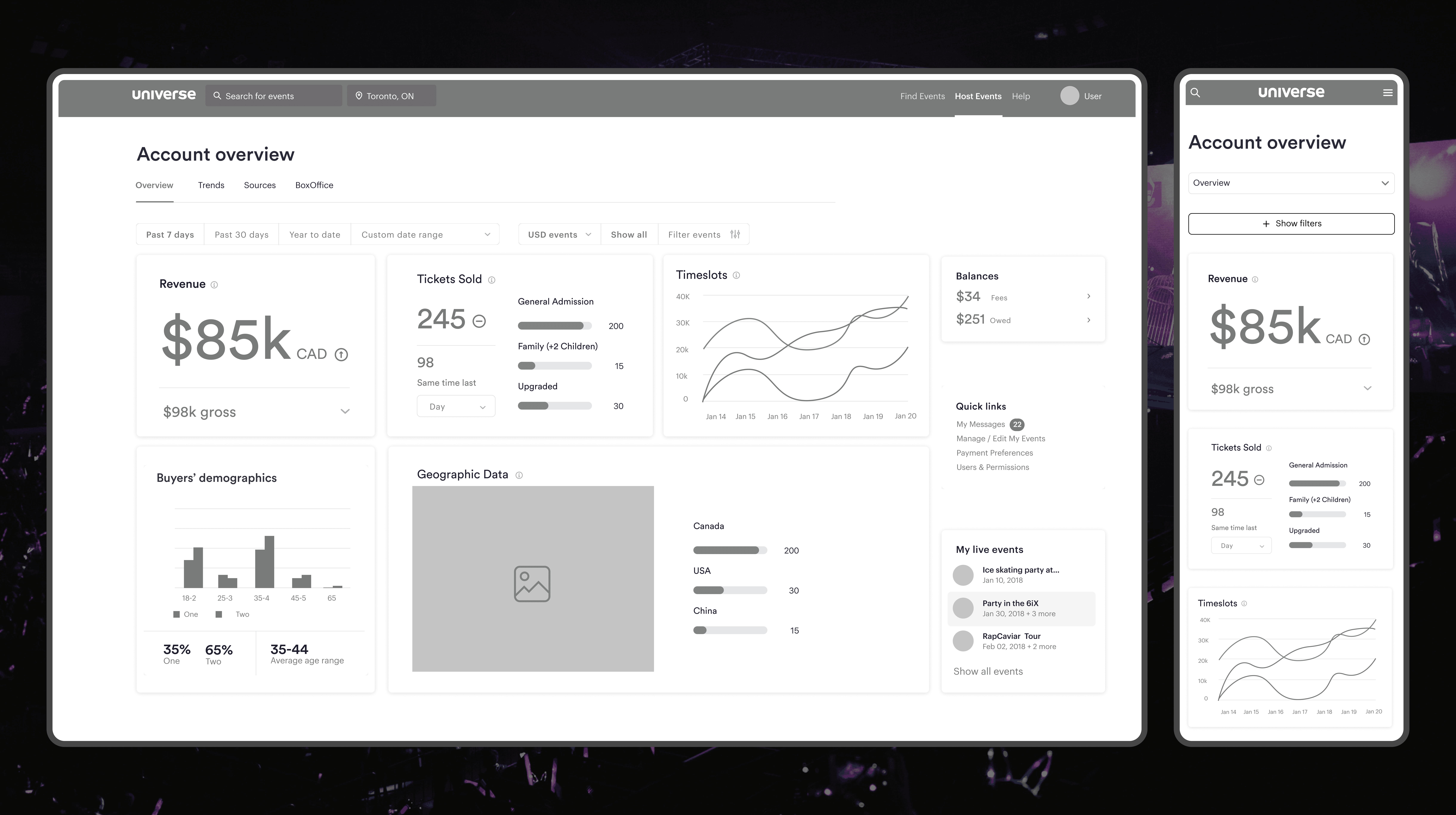
MOBILE
Built mobile-first reporting components to ensure mobile and tablet felt truly purpose-built for users inside of venues and on the floor during events.
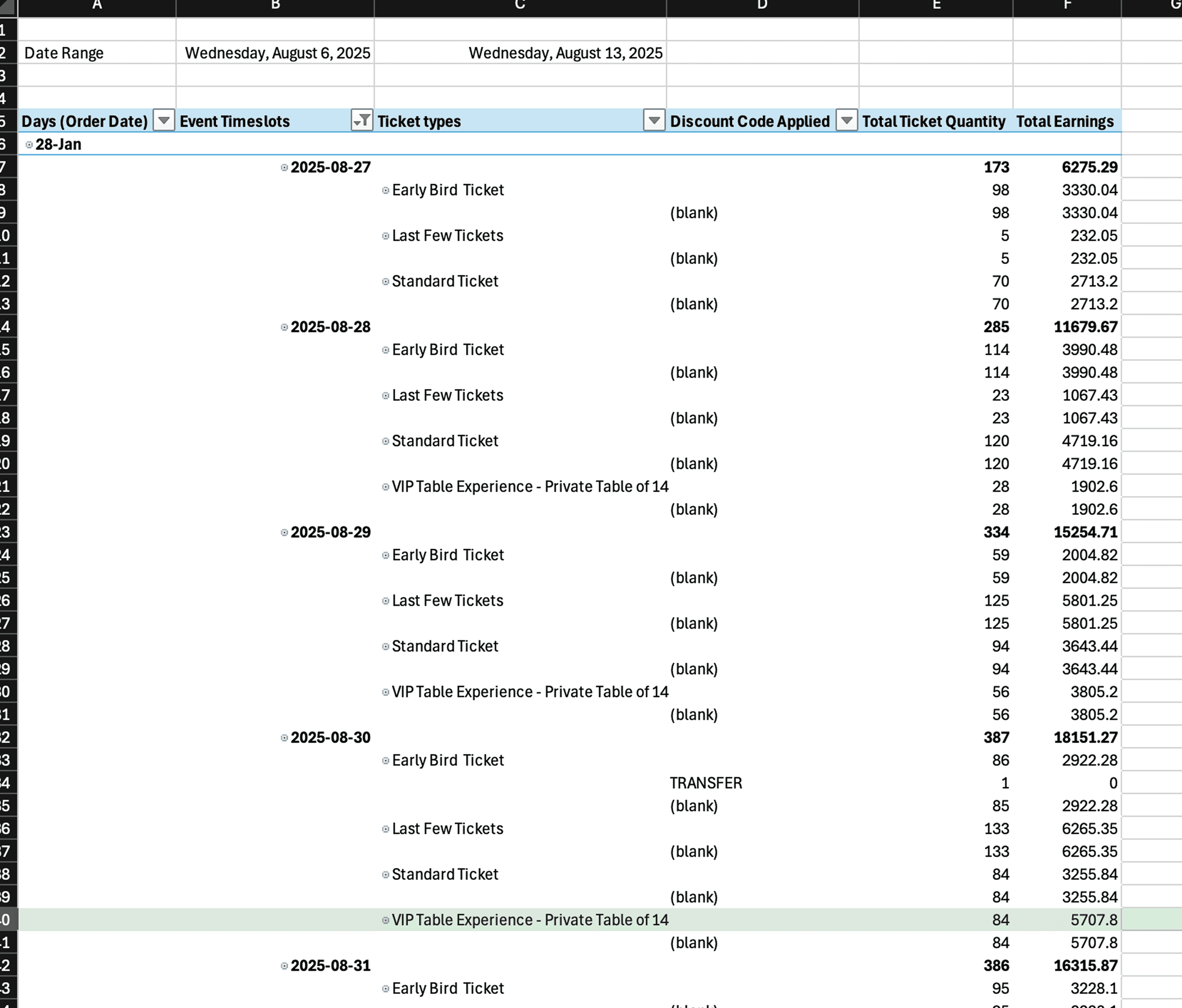
SPREADSHEETS
Enabled reliable Excel exports by mirroring spreadsheet logic in the product, ensuring data consistency and earning trust from clients who depended on exports.
PRIORITIES
Critial decisions & tradeoffs.
Avoided a multi-year rebuild of our entire backed structure and user facing designs by identifying the 20% of functionality that solved 80% of high-value use cases.
That 20% was informed by what we noticed from shadowing clients during their workflows. Collapsing all layers into one was not as important as giving them flexibility.
Prioritized dashboards first because most user journeys started there. This secured early adoption and proved direction before expanding scope.
WIREFRAMES & ITERATIONS
Validating structure.
WIREFRAMES
I used wireframes to validate the structure of our Dashboards. What you see here is one of the first iterations.
ITERATIONS
Internal feedback helped validate the final direction. Feedback was compiled into 3 buckets: High priority, nice to have, and out of scope.
BUILD
Shipping the product.
Styled dashboards directly in Superset, working inside the same environment as engineering to maintain UI consistency, reduce handoff friction, and ship faster. Gained practical CSS and tech-stack fluency that enabled cleaner implementation and tighter collaboration with developers.
TESTING INSIGHTS
Validating with clients before launch.
DISCOVERABILITY
We surfaced critical filters instead of burying them behind extra interactions, reusing established UI patterns to improve discoverability and speed for both users and developers.
MISSING DATA
I prepared the foundation for deeper demographic reporting by baking scalable dashboard patterns into our design system, ensuring new data capabilities could roll out quickly without reinventing UI.
COMBINE PAGES
Most users met their goals in one or two pages, raising questions about extra layers. We logged this insight to drive future consolidation and a more unified experience.
Video generated using Weavey
SOLUTION
We launched the first phase of our reporting overhaul: Account Dashboards.
The release reflected months of user testing and iteration, resulting in a unified, intuitive experience for clients. Early adoption and feedback confirmed we were moving in the right direction, setting the foundation for future reporting updates.
OVERVIEW
The Overview page surfaces the most important revenue metrics in one place, giving teams instant performance clarity without digging through multiple reports.
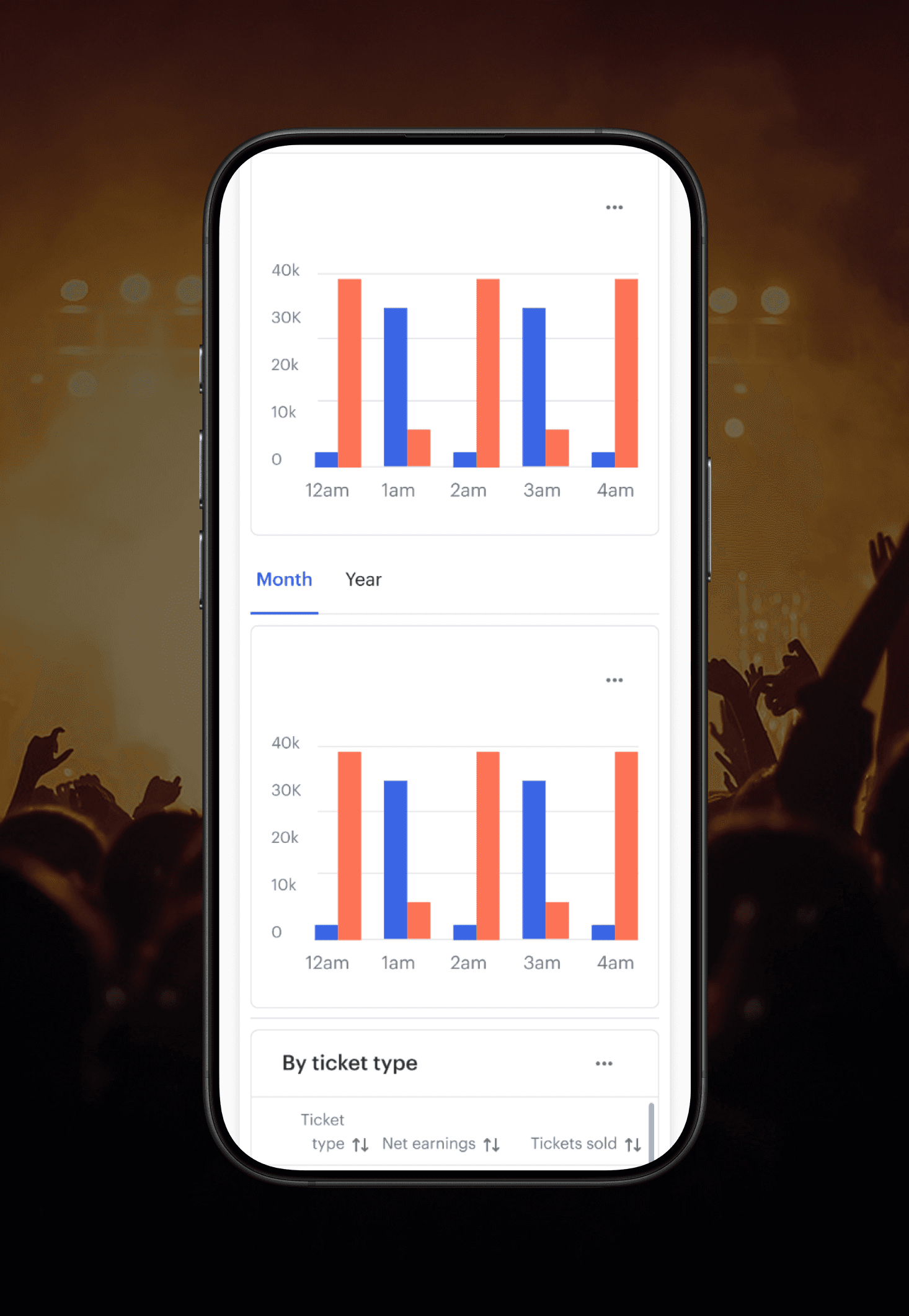
TRENDS
The Trends page reveals performance patterns over time, helping teams spot spikes, dips, and emerging behavior so they can act fast.
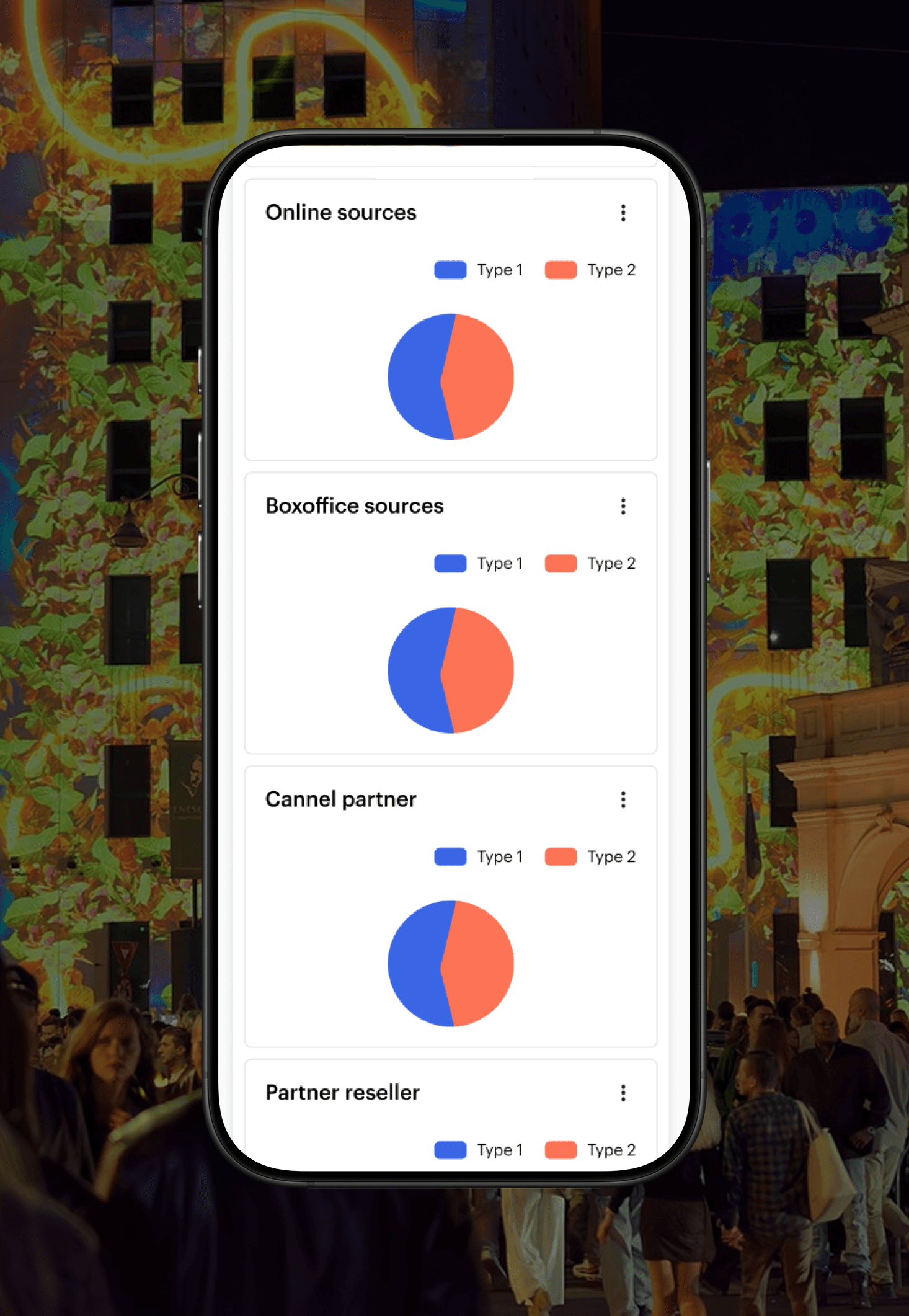
SOURCES
The Sources page shows which audiences and affiliates drive revenue, so teams can double down on high-performing partnerships and cut what isn’t working.
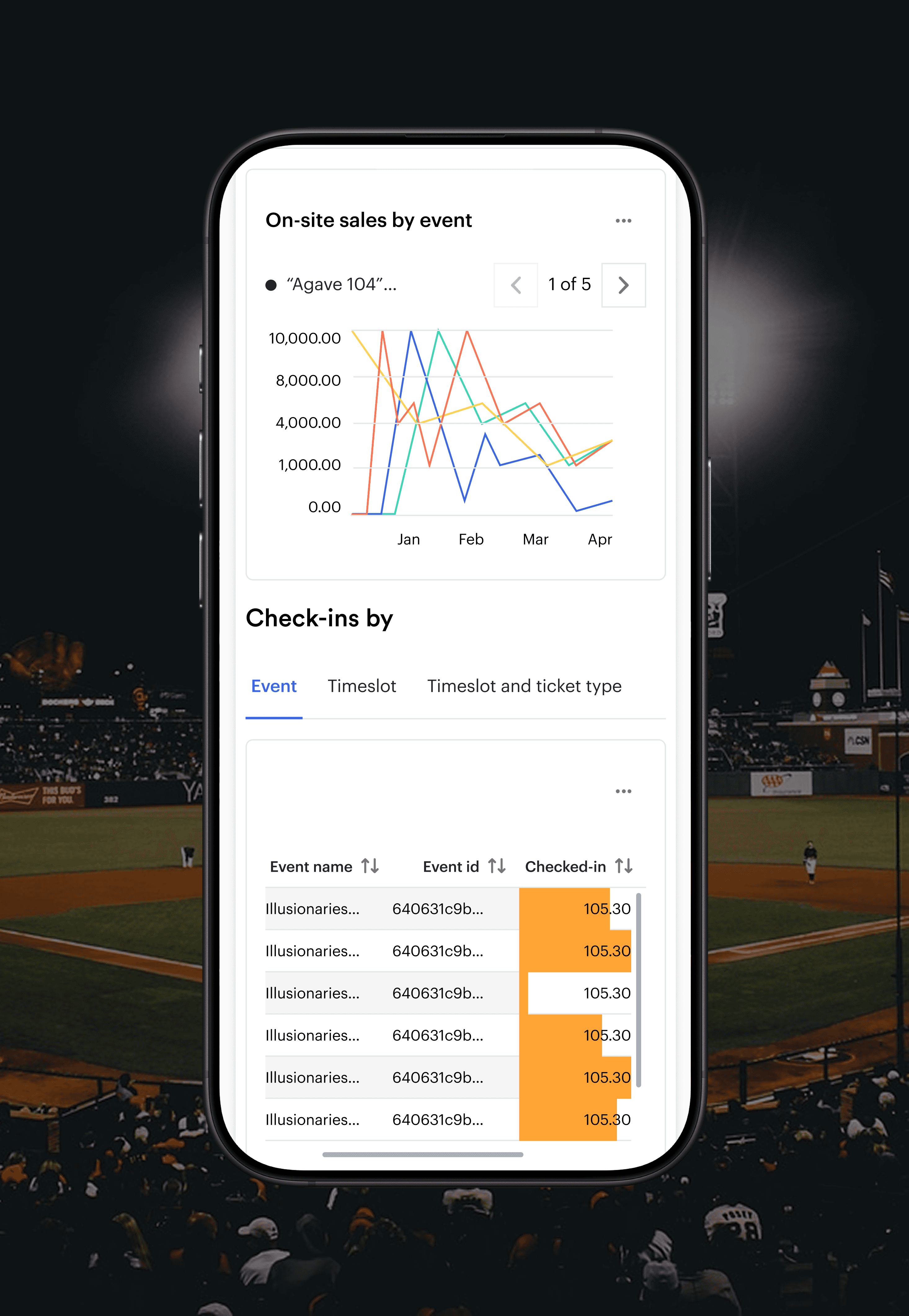
BOXOFFICE
The Box Office view unified presales, check-ins, and door sales into one real-time dashboard, giving teams full visibility into event-day performance without jumping between tools.
IMPACT
" height="20px" id="uxdlBAd7X" width="20px"/></svg>)
" height="20px" id="AqGU0CTSh" width="20px"/></svg>)
" height="19px" id="ZHFOtMkbx" transform="translate(0 0.31)" width="20px"/></svg>)
" height="15px" id="xlSDvxJt3" transform="translate(0 1.685)" width="20px"/></svg>)
REFLECTION
What I learned and would do differently.
I learned that a design must be proactive, constantly looking at usage data to choose projects and guide strategy before it causes client churn. Great design must also understand the tech intimately or risk building around constraints rather than with them.
I would push harder for a long-term reporting platform investment, which may have been possible by a longer timeline and earlier investigation. I would also bring data engineering into the discovery phase sooner, and advocate for a more thorough plan to measure dashboard performance more precisely post-launch.
Lastly, I would have learned how to ship early builds to gather beta client usage data earlier in the process, as my time at Universe came to an end before I could capture quantitative data for milestones beyond Dashboards. Aside from preliminary tests revealing we were on the right track, I would have valued seeing how all of our milestones performed during an extended period before official release.